Chrome extension for Meta Ads Library
Find the Meta ads your competitors keep paying for.
Brands rarely keep paying for an ad that isn’t working, so the longest-running ones are worth studying. Cosmisk finds them in any brand’s Ads Library and shows you what each one is built from: the hook, the offer, the creator and the page they send people to.
No card needed · Chrome on a laptop or desktop

- 7-day free trial, no card
- No Facebook login needed
- Works in any country
- Your data stays on your laptop
- Not affiliated with Meta
Read any brand’s ads in one click.
Search a brand in the Ads Library, press Brand Report, and get this.
Add to Chrome, 7 days freeWint Wealth · 30 Sep 2026 · Faces in ad thumbnails blurred
One click, the whole brand
Key findings, proven winners, what changed and the winning ads, in one report.
Recording shows: The Brand Report for Wint Wealth scrolls from Key findings and the stat cards (250 ads scanned, 28 proven winners, 62 creator ads) through What changed since last time to What's working and the winning ads, each with its days running and scaling signal.
How it works
Search a brand in the Ads Library and press Brand Report. The bar along the top of the report saves a snapshot, compares two brands, copies a summary and exports a PDF.
To talk it through, press Ask ChatGPT or Ask Claude. Cosmisk copies a prompt made from the report’s summary and opens the chat with it filled in.
The cards below are the same report’s parts, one at a time.
Wint Wealth
Meta Ads Library · 29 Sept 2026 · 251 of ~260 ads loaded
Key findings
- 165 of the 251 ads started in the last 30 days, 25 in the last 7.
- Most-used opening line: “Start your monthly interest today with bonds. No lock-in. Invest now.” in 133 ads, the longest running 137 days.
- 71% video, median length 0:50.
- 65 creator partnership ads (26%) with 27 creators; most used: Diya Bafna (6).
- No discount, sale or coupon in any ad text.
- Most ads point to Play Store · com.fourdegreewater.wintwealth (201 ads).
Key findings
Read the whole brand in six lines
Every report opens with plain findings, before a single table.
Proven winners
Running 130.9+ days, this brand’s longest-running 10%
How long ads run
- Under 7 days25 (10%)
- 7–30 days140 (56%)
- 31–90 days22 (9%)
- Over 90 days64 (25%)
- Median days running
- 13.9
- Running 30+ days
- 86 ads
Proven winners
Spot the ads they keep running
A long run is the best public sign an ad is working. Meta shares no results, so we never claim them.
In the Brand Report
Strong26Likely60Weak/New165
251 ads. Table View and the CSV add Run × median, Versions and Signal columns, and you can sort by the signal.
On every ad card
- StrongRuns 3× or more this brand’s typical ad, has several versions, and is one of its proven winners
- LikelyRuns 2× or more this brand’s typical ad
- Weak/NewAnything shorter, and every ad under 7 days old
A stopped ad goes no higher than Likely, because the brand has stopped paying for it.
Scaling signal
See which ads they keep paying for
Every ad is compared with this brand’s typical ad. It’s a signal that the brand keeps paying for the ad, not proof it performs.
- “Start your monthly interest today with bonds. No lock-in. Invest now.”133136.9 days
- “Enjoy a steady monthly income from asset-backed bonds. Invest in just 3 easy steps.”17103.9 days
- “₹1500 Cr+ repaid on time!”6136.9 days
- “Nandu ka jeevan kathin h mitar”3103.9 days
- “Only if my Dad knew this, I would have probably retired by now.”397.9 days
43 different opening lines; 34 used in more than one ad.
Opening lines
Learn the hooks that keep working
The lines they repeat, and how long those ads have run.
25 started in the last 7 days · 165 in the last 30 days
New ads per week
See when they start pushing
A burst of new launches stands out at once.
27 creators · 65 partnership ads (26%)
- Diya BafnaFacebook6 ads
- lessonswithpunitFacebook5 ads
- Mohit SetiyaFacebook4 ads
- Jayant MundhraFacebook4 ads
- Ajay PanwarFacebook3 ads
- tejasjosh.iInstagram2 ads
- sajalgoellInstagram2 ads
Creator partnerships
See who they pay to post
Every paid partnership, with the creator’s profile.
Where they send traffic
App store 100%- Play Store201
- App Store50
Buttons
Install now189 (75%)
Offers
No discount, sale or coupon in any ad text.
Offers and landing pages
Know what they sell and where
Offers, ₹ prices, buttons and landing pages.
Format
Video 179 ads (71%), image 72 ads (29%).
Video 179 · Image 72Median length 0:50
Ad text language
- English245 (98%)
- Hinglish (likely)6 (2%)
Creative mix
See what they make, and in which language
Video or image, video length, and the Hinglish share.
Real Brand Reports for Wint Wealth, from Meta Ads Library: the cards from 29 Sep 2026, the screenshot from 30 Sep 2026.See the report screenshot
Tools
Take the numbers further.
Gymshark (UK) · 30 Sep 2026
Every ad in one table
Sort by scaling signal, then copy every row into Sheets or Excel.
Recording shows: Table View of the 261 ads scanned on a Gymshark search, re-sorted by Scaling signal from strong to weak, then Copy for Sheets, which confirms: Copied 261 rows. Paste into Google Sheets or Excel.
Wint Wealth · 30 Sep 2026
See where they send traffic
App stores, landing pages and buttons, counted across every ad.
Recording shows: The App push section of Wint Wealth's Brand Report: 250 of the 250 ads scanned link to an app store (Play Store 201, App Store 49), then Where they send traffic, with the landing pages, their longest runs and the call-to-action buttons.
Read any single ad at a glance.
A panel on every ad, built only from what Meta shows. Nothing is guessed.
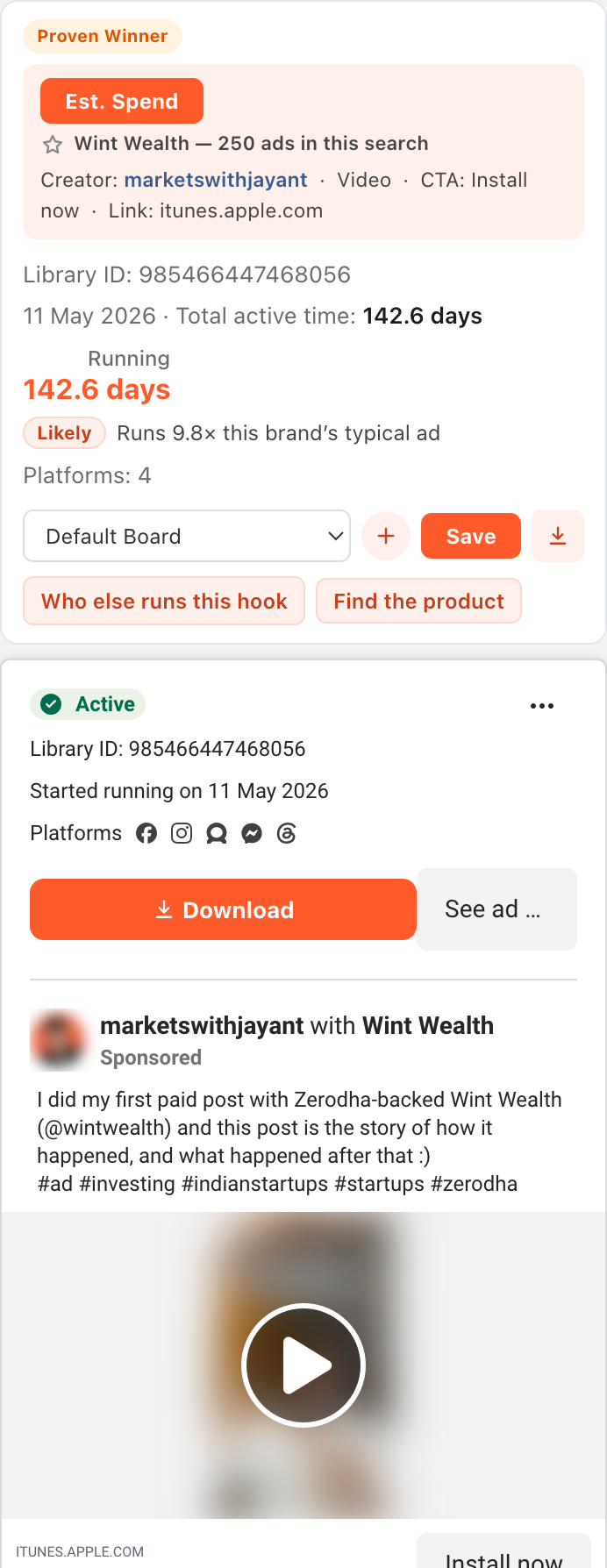
How long it has been running
Counted to the day, and whether it’s still live.
Who made it
The creator’s name, linked to their profile.
What it says and where it goes
The hook, the button, and the real page behind it.
A rough spend range
From a formula you can see and change.
- Scaling signal
- Video length
- Creative testing
- Offers and coupon codes
- ₹ prices
- Comment-to-DM
- Stopped ads too
On every ad card
One click each.
Gymshark (UK) · loading sped up 4×
Loads every ad for you
It scrolls the Ads Library itself, then marks each ad’s scaling signal.
Recording shows: A loading pill counts up while Cosmisk loads all of Gymshark's ads (sped up 4 times), then Gymshark ad cards whose panels read Strong and Runs 13.9× this brand's typical ad.
Gymshark (UK) · Faces in ad thumbnails blurred
Find this line in other brands’ ads
Searches every brand’s ads for this ad’s exact opening line, so you see if the line is common or original.
Recording shows: Clicking the button that finds this line in other brands’ ads, on a Gymshark ad, opens a new Ads Library tab with an exact-phrase search across all advertisers for “Your full Gymshark legging guide”: about 9 results, with the ads whose text contains it.
Gymshark (UK) · click only
Find the product
Opens Google Lens with the ad’s image, to look for similar products.
Recording shows: Clicking Find the product on a Gymshark ad card. Only the click is shown, not the Google Lens results.
Gymshark (UK) · 30 Sep 2026
Download any ad
Saves the video or image, named by brand and ad ID.
Recording shows: Clicking Download on a Gymshark ad (it reads Downloading…), then Chrome's download list showing Gymshark-1569337624576503.mp4, downloaded by Cosmisk.
Watch what changes every week.
Open a brand again and the report starts with what’s new.
Put two brands side by side
Your brand next to a competitor: launch pace, ad life, creators, top offer.
Wint Wealth vs its 29 Sep snapshot · Faces in ad thumbnails blurred
What’s new since your last look
New ads, stopped ads, creators who left, new pages and offers.
Recording shows: Wint Wealth's report compared with its automatic snapshot from 29 Sep 2026: +2 new ads, 3 ads no longer seen, 251 → 250 ads scanned, and one creator gone: Remotewalizindagi. New creators, landing pages and offers: none.
What it lists
A report is saved in Chrome once all of a brand’s ads have loaded. Open the brand again on another day and it lists:
- Added: New ads they launched
- Removed: Ads they stopped
- Added and removed: Creators who joined or dropped off
- Added: New landing pages
- Added and removed: Offers started or ended
Try it on a competitor today.
Every clip above is the extension, recorded on the live Ads Library. 7 days free, no card.
Add to Chrome, 7 days freeBuilt for every market, starting with India.
Any language, Hinglish too
Which languages the ad copy is in, from Spanish, German and Portuguese to Hindi, Tamil and Bengali. It also spots Hinglish, Hindi typed in English letters.
Wint Wealth reportEnglish 98% · Hinglish (likely) 2%
Rupee prices and Indian offers
₹ prices, Buy 1 Get 1, sale names and coupon codes.
Wint Wealth report6 ads show a price · ₹1,000 – ₹10,000
Any country
It works on the Meta Ads Library wherever Meta shows ads, including markets most spend tools skip.
It tells you when it doesn’t know.
- 251 of ~260 ads loaded
- Hinglish (likely)
- A formula estimate, not Meta data.
- All from the public Ads Library page you have open. No login, no ad account.
- Spend is a formula estimate you can edit. Compare with it; don’t quote it.
- Every report says how many of the brand’s ads it loaded.
Install it in about a minute.
It’s on the Chrome Web Store, free for 7 days.
Step 1: Add it to Chrome
From the Chrome Web Store. No card or account needed.
Add to Chrome, 7 days freeStep 2: Pin the Cosmisk icon
Click the puzzle-piece icon in Chrome’s toolbar, then the pin next to Cosmisk, so it’s always one click away.
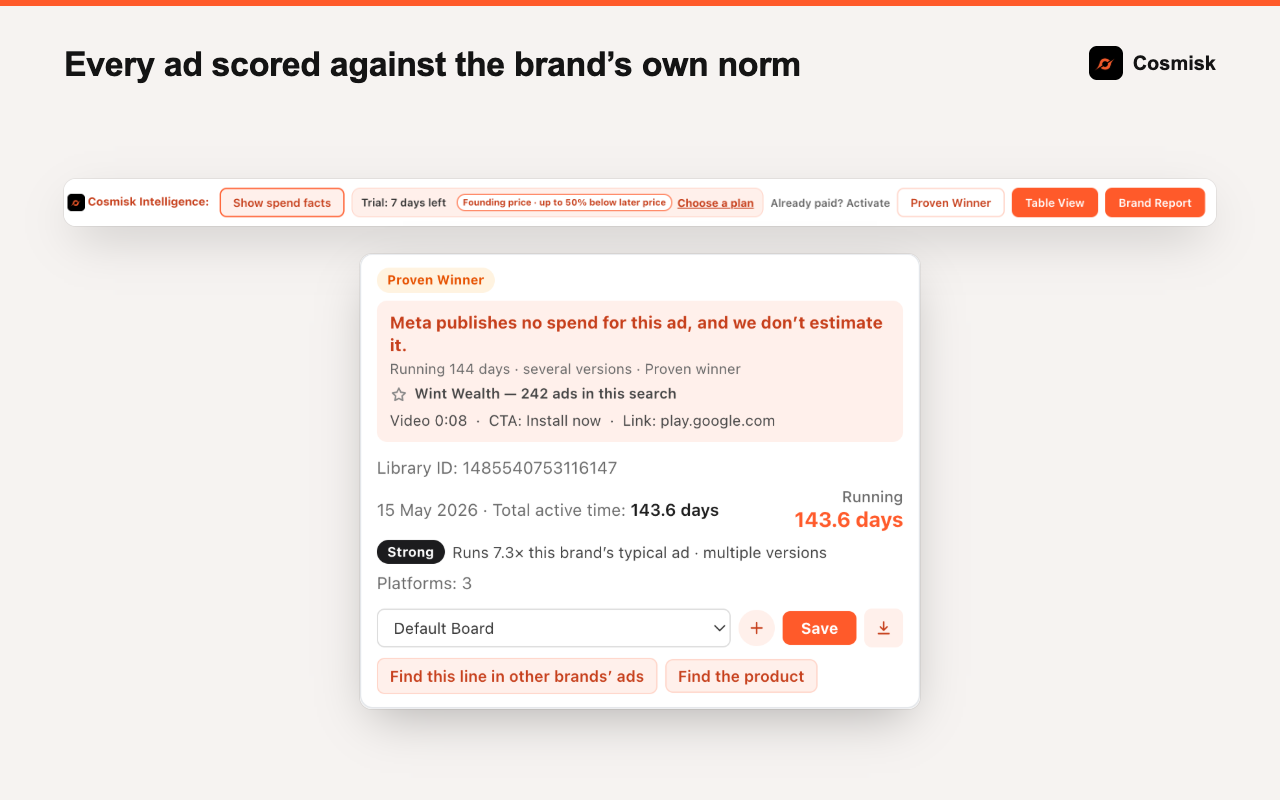
Step 3: Open the Meta Ad Library
Go to
facebook.com/ads/library, search any brand, and press Brand Report.

New version? Chrome updates Cosmisk by itself from the Chrome Web Store. Your saved reports stay.
Try it free for 7 days, then pick a plan.
Every plan includes everything. The trial needs no card.
Founding prices. They go up to ₹999 a month and ₹7,999 a year after our first 100 customers, and the lifetime plan closes then. If you join now, you keep your price for as long as your subscription stays active.
Monthly
₹999after our first 100 customers; now ₹499/ month
Pay month by month. Cancel any time.
Yearly
Best value₹7,999after our first 100 customers; now ₹4,999/ year
About two months free compared with paying monthly.
Founding lifetime
Founding offer₹9,999once
Pay once and use it for life, including every feature we add. Closes after our first 100 customers.
Struck-through prices apply after our first 100 customers.
Every plan includes
See what’s working
- A scaling signal on every ad
- Proven winners
- New ads per week
- The hooks they reuse most
- What changed since your last look
Understand how they sell
- Offers and prices
- Landing pages
- App push
- Creators, with profile links
- Ad language
Research tools
- Find a line in other brands’ ads
- Find the product (Google Lens)
- Their online store (Store Pulse)
- Check countries
- EU and UK targeting and reach
Work faster
- Compare two brands
- Table View
- Copy to Sheets
- CSV and PDF export
- Download any ad
- Watchlist
- Ask ChatGPT or Claude
Prices are in Indian rupees and include GST. Payments are handled by Razorpay, and the payment page will show Smashed Agency, the company that collects payments for Cosmisk. You can cancel a monthly or yearly plan any time and keep access until the end of the period you paid for. See our refund policy.
Questions people ask us.
How does the free trial work?
Use everything for 7 days with no card or account. Then pick a monthly, yearly or lifetime plan to keep going.
Will the price go up?
Yes. After our first 100 customers it goes up to ₹999 a month and ₹7,999 a year, and the lifetime plan closes then. If you are on a monthly or yearly plan by then, you keep your price for as long as your subscription stays active.
Do prices include GST? Can I get a GST invoice?
Yes, prices include GST. For a GST invoice, email support@cosmisk.com with your payment ID and GSTIN.
I’ve paid. How do I unlock it?
Click the Cosmisk icon in Chrome’s toolbar (pin it from the puzzle-piece menu if you don’t see it), then “Already paid? Activate”. Enter the email you paid with and the payment ID from your Razorpay receipt, which starts with pay_ or sub_. One plan works on up to 3 computers.
How do I cancel?
Use the cancel link in Razorpay’s subscription email, or write to support@cosmisk.com. Access lasts until your paid period ends.
Is it on the Chrome Web Store?
Yes. Click Add to Chrome on its Chrome Web Store page. Updates install by themselves, and your saved reports stay.
Does it touch my ad account?
No. It only reads the public Ads Library page you have open, and never asks for your Facebook login.
Where is my data stored?
On your computer. Saved reports stay in Chrome and are not sent to us.
Does it estimate ad spend?
No. Meta publishes spend only for political and issue ads, and reach only for ads shown in the EU and UK. Cosmisk shows those figures as Meta data and doesn’t estimate spend for other ads: we tested an estimate on real data and it was no better than a guess.
Why does a big brand take a while to load?
Meta loads a few ads at a time as you scroll, and Cosmisk scrolls for you. Very large brands can take several minutes. Stop whenever you like; the report says how many ads it loaded.
Which browsers does it work in?
Chrome on a laptop or desktop. Not phones, and other browsers are untested.
Is this made by Meta?
No. Cosmisk is independent and not affiliated with Meta.
Does it work outside India?
Yes, on Meta Ads Library for any country.